Reporting
Report Formats
HTML Report
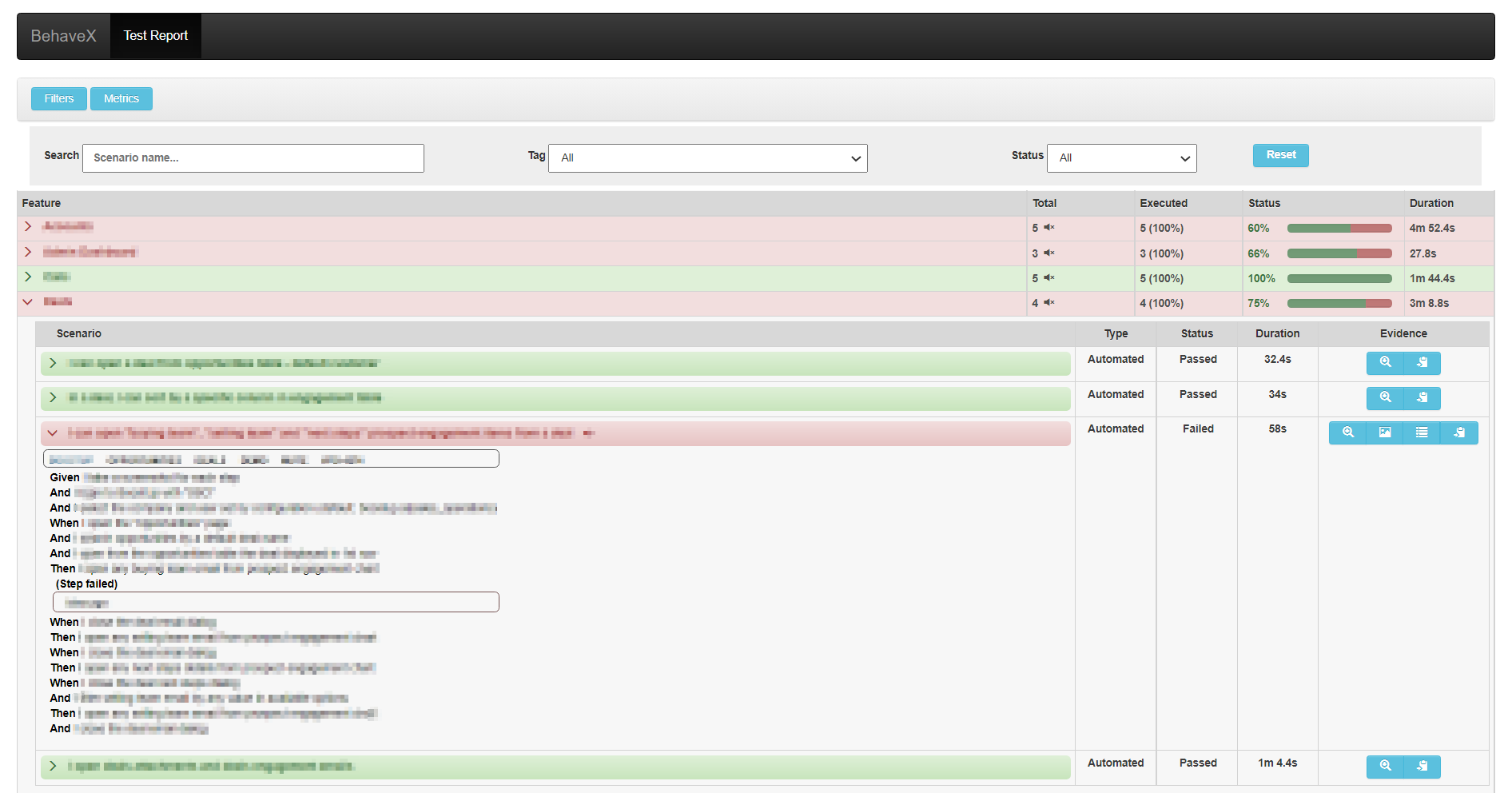
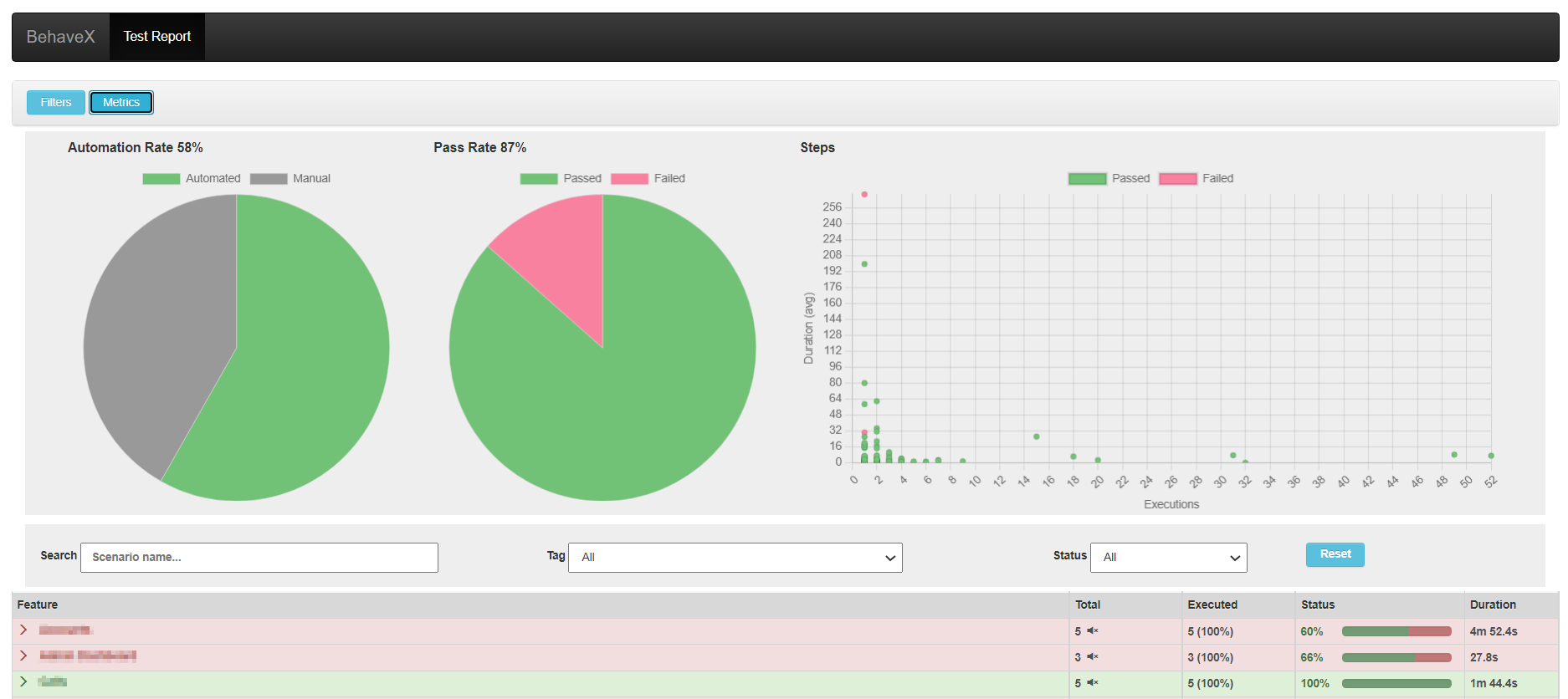
A friendly test execution report with scenario details, execution status, evidence, and metrics.
<output_folder>/report.html

JSON Report
Base report used internally to generate the HTML report. Contains scenario details and execution status.
<output_folder>/report.json
JUnit Report
One XML file per feature, compatible with CI/CD systems. Supports muted test scenarios.
<output_folder>/behave/*.xml
Attaching Images to the HTML Report
Use the attach_image_file or attach_image_binary methods from the behavex_images library. These can be called from hooks in environment.py or directly from step definitions.
Attaching an image file:
from behavex_images import image_attachments

@given('I take a screenshot')
def step_impl(context):
    image_attachments.attach_image_file(context, 'path/to/image.png')
Attaching an image binary (e.g., Selenium screenshot):
from behavex_images import image_attachments
from behavex_images.image_attachments import AttachmentsCondition

def before_all(context):
    image_attachments.set_attachments_condition(context, AttachmentsCondition.ONLY_ON_FAILURE)

def after_step(context, step):
    image_attachments.attach_image_binary(context, selenium_driver.get_screenshot_as_png())
By default, images are attached only when the test fails. Use set_attachments_condition to change this.

The behavex-images library is included with BehaveX 3.3.0+. For older versions:
pip install behavex-images
See the behavex-images repository for more details.
Attaching Additional Evidence
Any file generated during a scenario can be linked directly in the HTML report. BehaveX provides a per-scenario folder path via context.evidence_path — all files copied there are accessible from the HTML report linked to that scenario.
import shutil

def after_scenario(context, scenario):
    shutil.copy('path/to/generated_file.csv', context.evidence_path)
Test Logs per Scenario
The HTML report includes detailed execution logs for each scenario, generated via Python’s logging library and linked to the specific scenario. This makes it easy to debug failures without searching through aggregated logs.
Metrics and Insights
The HTML report provides the following metrics:
Automation Rate: Percentage of scenarios that are automated
Pass Rate: Percentage of scenarios that passed
Steps Execution Counter: How many times each step was executed
Average Execution Time: Average time per step
Dry Runs
Use --dry-run to list all matching scenarios in the HTML report without executing them. The generated report can be shared with stakeholders for spec review.
behavex --dry-run
behavex -t=@TAG --dry-run
Allure Reports Integration
BehaveX provides an Allure formatter that generates detailed, visually appealing reports. Since BehaveX runs tests in parallel, the formatter processes the consolidated report.json after all parallel workers finish — ensuring all results are properly aggregated.
Prerequisites
Install Allure on your system. See the official Allure installation documentation.
Generating Allure Reports
behavex --formatter=behavex.outputs.formatters.allure_behavex_formatter:AllureBehaveXFormatter

# With a custom output directory
behavex -t=@TAG \
  --formatter=behavex.outputs.formatters.allure_behavex_formatter:AllureBehaveXFormatter \
  --formatter-outdir=my-allure-results
Default output: output/allure-results
Evidence in Allure Reports
Images and evidence attached using behavex_images methods (see above) are seamlessly included in Allure reports. Files stored in context.evidence_path are also automatically included.
Viewing Allure Reports
# Serve the report (opens in a browser)
allure serve output/allure-results

# Generate a single-file HTML report
allure generate output/allure-results --output output/allure-report --clean --single-file

# Generate a static report
allure generate output/allure-results --output output/allure-report --clean
Disabling Log Attachments
By default, scenario.log files are attached to each scenario. To disable:
behavex \
  --formatter behavex.outputs.formatters.allure_behavex_formatter:AllureBehaveXFormatter \
  --no-formatter-attach-logs