# Reporting
## Report Formats
### HTML Report
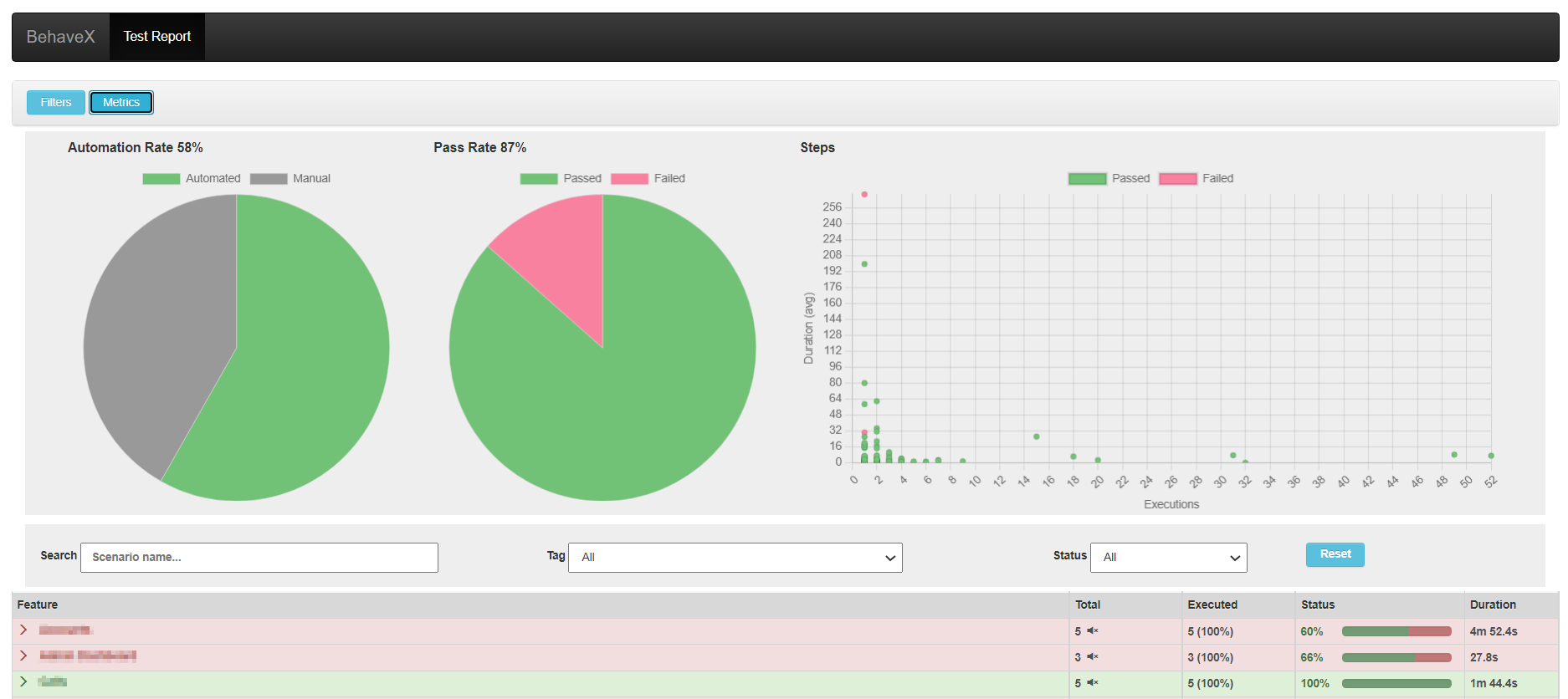
A friendly test execution report with scenario details, execution status, evidence, and metrics.
```
/report.html
```

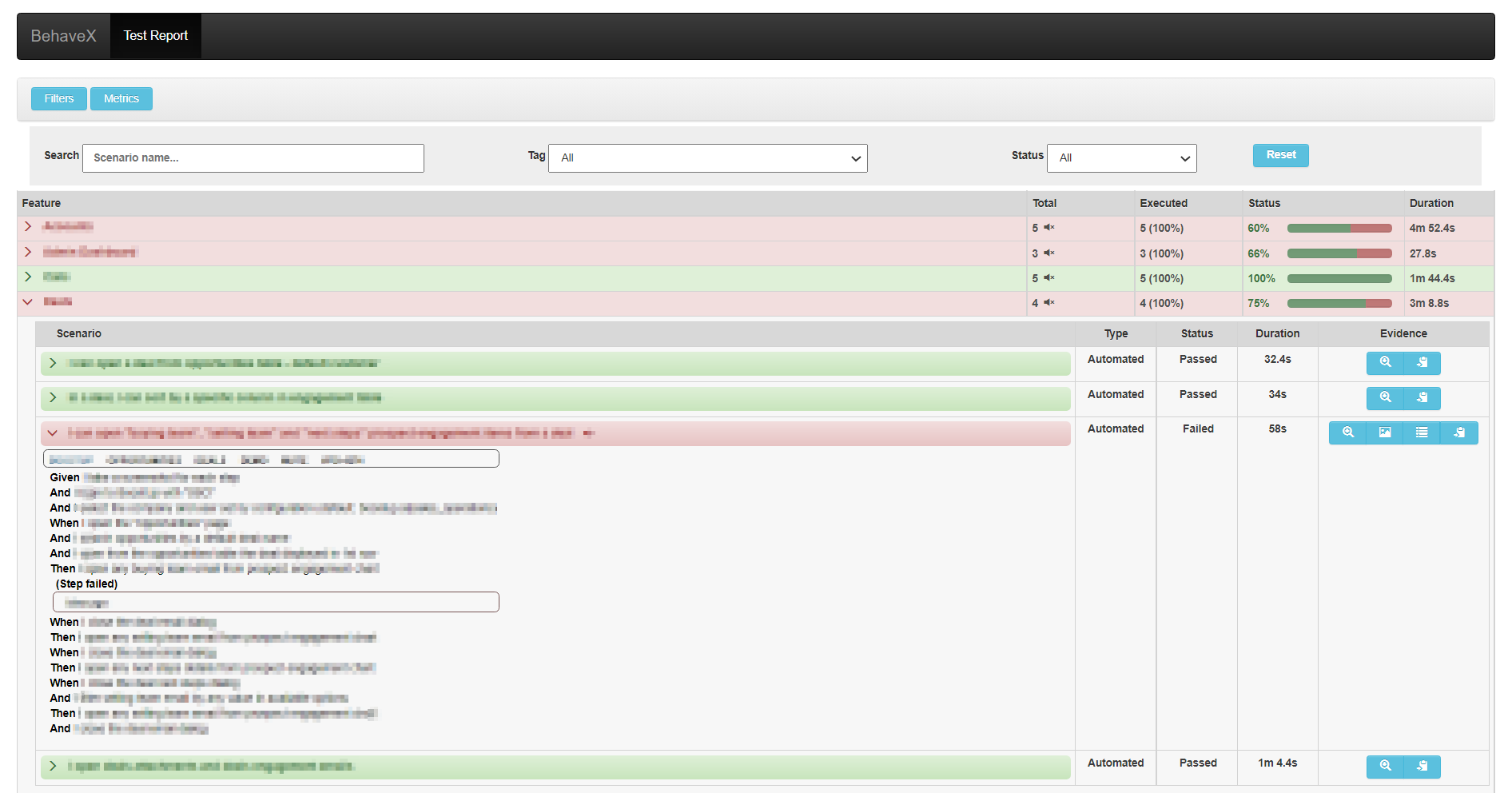
### JSON Report
Base report used internally to generate the HTML report. Contains scenario details and execution status.
```
/report.json
```
### JUnit Report
One XML file per feature, compatible with CI/CD systems. Supports muted test scenarios.
```
/behave/*.xml
```
## Attaching Images to the HTML Report
Use the `attach_image_file` or `attach_image_binary` methods from the `behavex_images` library. These can be called from hooks in `environment.py` or directly from step definitions.
**Attaching an image file:**
```python
from behavex_images import image_attachments
@given('I take a screenshot')
def step_impl(context):
image_attachments.attach_image_file(context, 'path/to/image.png')
```
**Attaching an image binary (e.g., Selenium screenshot):**
```python
from behavex_images import image_attachments
from behavex_images.image_attachments import AttachmentsCondition
def before_all(context):
image_attachments.set_attachments_condition(context, AttachmentsCondition.ONLY_ON_FAILURE)
def after_step(context, step):
image_attachments.attach_image_binary(context, selenium_driver.get_screenshot_as_png())
```
By default, images are attached only when the test fails. Use `set_attachments_condition` to change this.

The `behavex-images` library is included with BehaveX 3.3.0+. For older versions:
```bash
pip install behavex-images
```
See the [behavex-images repository](https://github.com/abmercado19/behavex-images) for more details.
## Attaching Additional Evidence
Any file generated during a scenario can be linked directly in the HTML report. BehaveX provides a per-scenario folder path via `context.evidence_path` — all files copied there are accessible from the HTML report linked to that scenario.
```python
import shutil
def after_scenario(context, scenario):
shutil.copy('path/to/generated_file.csv', context.evidence_path)
```
## Test Logs per Scenario
The HTML report includes detailed execution logs for each scenario, generated via Python's `logging` library and linked to the specific scenario. This makes it easy to debug failures without searching through aggregated logs.
## Metrics and Insights
The HTML report provides the following metrics:
- **Automation Rate**: Percentage of scenarios that are automated
- **Pass Rate**: Percentage of scenarios that passed
- **Steps Execution Counter**: How many times each step was executed
- **Average Execution Time**: Average time per step
## Dry Runs
Use `--dry-run` to list all matching scenarios in the HTML report without executing them. The generated report can be shared with stakeholders for spec review.
```bash
behavex --dry-run
behavex -t=@TAG --dry-run
```
## Allure Reports Integration
BehaveX provides an Allure formatter that generates detailed, visually appealing reports. Since BehaveX runs tests in parallel, the formatter processes the consolidated `report.json` after all parallel workers finish — ensuring all results are properly aggregated.
### Prerequisites
Install Allure on your system. See the [official Allure installation documentation](https://docs.qameta.io/allure/#_installing_a_commandline).
### Generating Allure Reports
```bash
behavex --formatter=behavex.outputs.formatters.allure_behavex_formatter:AllureBehaveXFormatter
# With a custom output directory
behavex -t=@TAG \
--formatter=behavex.outputs.formatters.allure_behavex_formatter:AllureBehaveXFormatter \
--formatter-outdir=my-allure-results
```
Default output: `output/allure-results`
### Evidence in Allure Reports
Images and evidence attached using `behavex_images` methods (see above) are seamlessly included in Allure reports. Files stored in `context.evidence_path` are also automatically included.
### Viewing Allure Reports
```bash
# Serve the report (opens in a browser)
allure serve output/allure-results
# Generate a single-file HTML report
allure generate output/allure-results --output output/allure-report --clean --single-file
# Generate a static report
allure generate output/allure-results --output output/allure-report --clean
```
### Disabling Log Attachments
By default, `scenario.log` files are attached to each scenario. To disable:
```bash
behavex \
--formatter behavex.outputs.formatters.allure_behavex_formatter:AllureBehaveXFormatter \
--no-formatter-attach-logs
```